
Core · MVP — CEO, Rural trade, 6 sites
Sites & Organisation
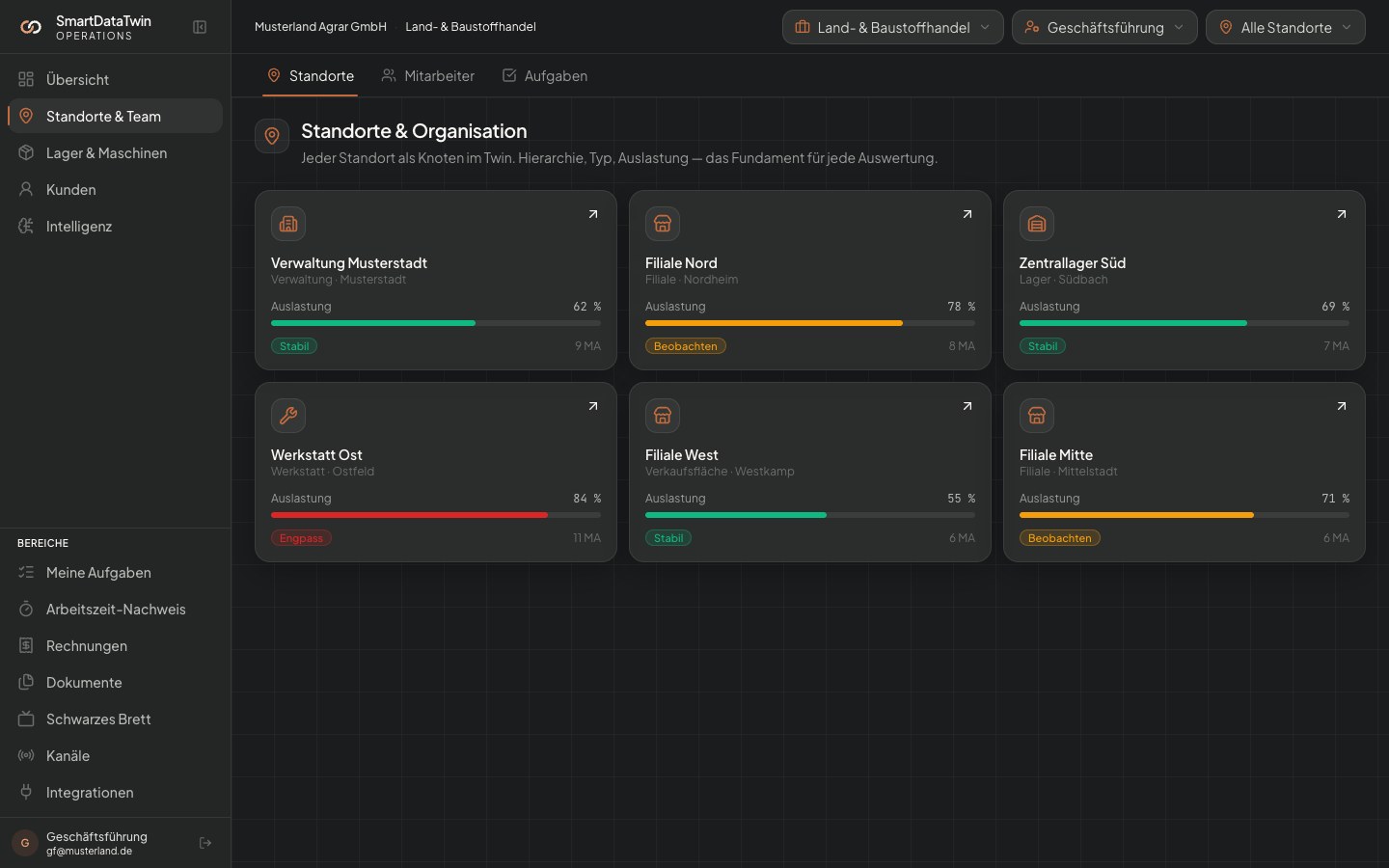
Every site as a node in the twin. Hierarchy, address, type, sub-sites — the foundation for any analytics, permission and utilisation view.
„I drive through every location every Monday — otherwise I don't know what's happening."
What it does
01
Hierarchical structure
Site → sub-site → area. Any depth, cleanly mirrored in the twin.
02
Site types
Branch, warehouse, HQ, workshop, sales floor — each type activates fitting modules.
03
Cross-site view
CEO dashboard shows utilisation, stock and open tasks across all sites at once.
How it runs
- 01
Data intake
Onboarding captures every site with address, size, type. Industry templates.
- 02
Activate modules
Per site you decide which modules are active. Workshop only where workshop actually exists.
- 03
AI learns patterns
Once events flow, the AI spots utilisation differences and bottlenecks per site.
What you get
- Live map of all sites with status badge
- Utilisation rate per site and area
- "Where is what?" stock comparison in one click
Requires
- → None — this is the foundation of the twin.
In the example
+6–8 h
CEO time back / week
6
Sites in sample